Skip to content
googlemailguide.com
Gmail Email : Get started ! - Google Mail
MENU
  • Home
  • About
  • Contact Us
  • Privacy Policy
  • Terms
Homepage / Sign in to Gmail

Tag: Sign in to Gmail

Sign in to Gmail – Gmail Android App

If your Android already has Gmail app, login will be quick and easy.

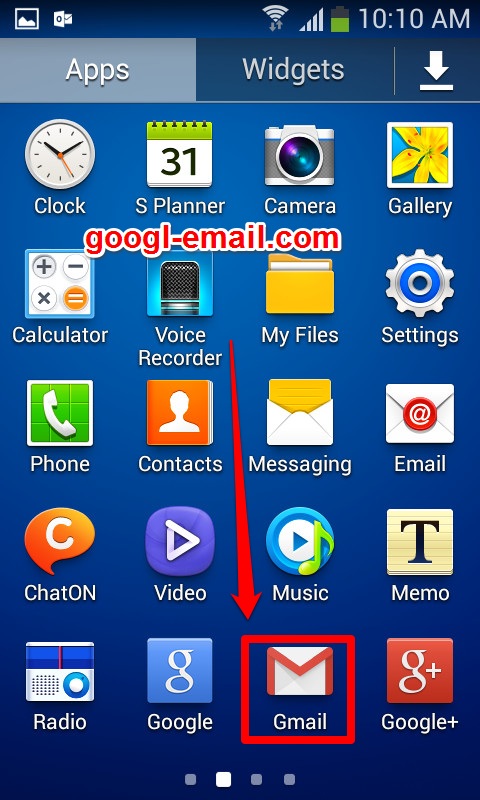
STEP 1: Tap the “Gmail” icon to launch Gmail.

    • If the Google account associated with your Android is the one used for Gmail, you could launch the app and reach your inbox without any further actions.
    • To add a Gmail address that isn’t yet on your phone, apply the similar procedure.

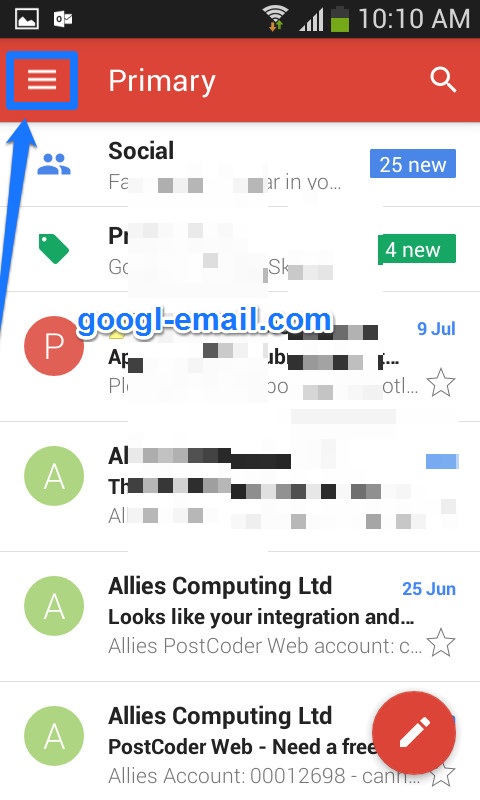
STEP 2: Open the ≡ menu, then select “Settings”.

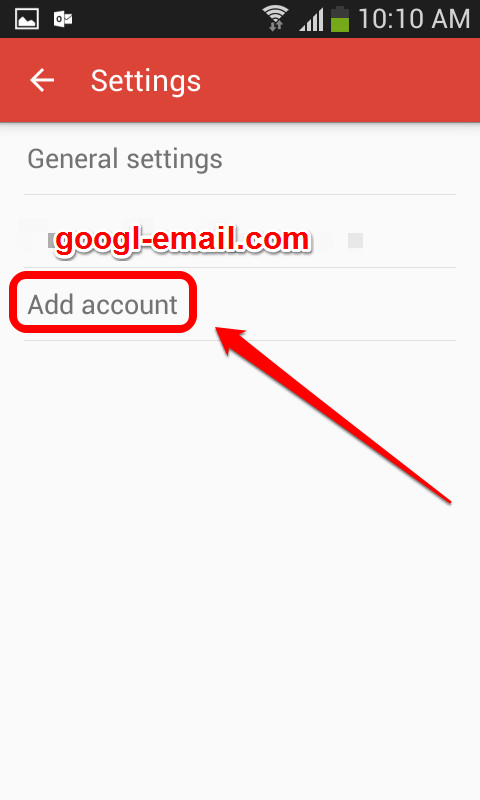
STEP 3: Tap “Add Account”. The “Set up email” screen will appear.

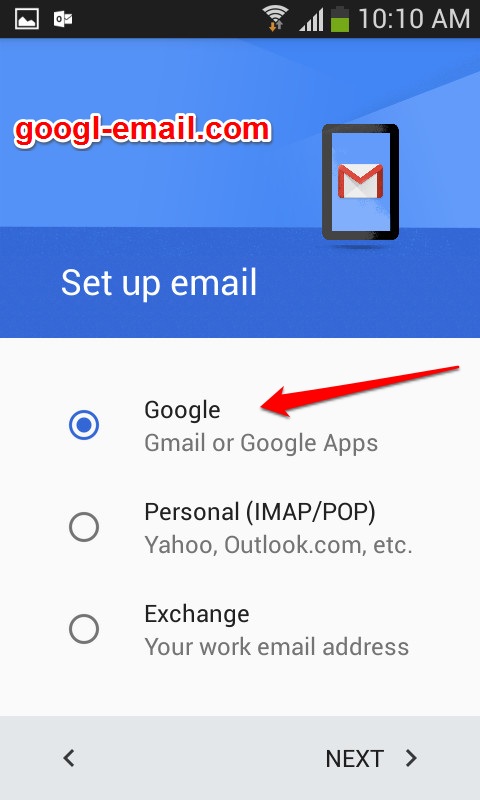
STEP 4 :  Select “Google” and then tap “Next”.

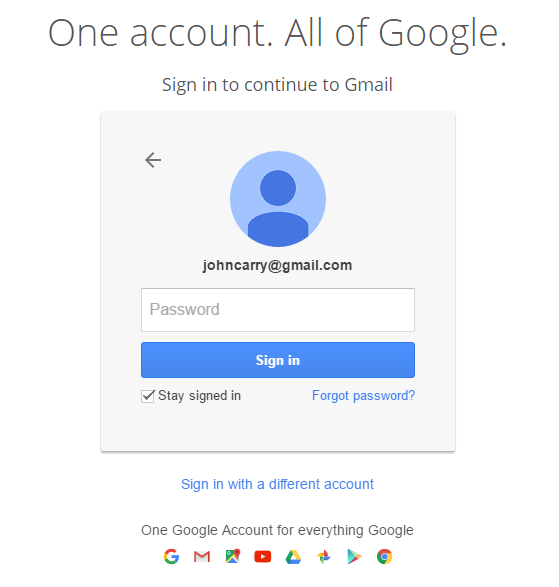
STEP 5: Enter your gmail username,password and then tap “Next”.

You’ll notice a “Forgot password” link right under the password blank. If you don’t remember your password, tap that link and follow its prompts.


Gmail Sign In

Sign in to Gmail is a pretty simple process that offers access not only to gmail inbox, but also to other processes such as Youtube , Google+ and Google Play . Having some problems in gmail.com login,see simple tutorial on how to log into Gmail

The first thing you must do to Login Gmail

To enter www.gmail.com you must first create gmail account. If you don’t have any email account read our article on how to create an email account Gmail.

Sign in to Gmail from your computer

  1. To  Sign In Gmail , go to the login page gmail entering www.gmail.com in your browser.
  2. Enter  your email. (Eg johncarry@gmail.com ) No need to enter your email address whole, you can skip @ gmail.com.  (Eg johncarry )
  3. Enter your password. Remember that your password must contain at least 8 characters. be careful when using the correct capitalization.
  4. To facilitate the process in the future select the “box Stay Signed In “.
  5. Click the “Sign In” button. In a few seconds you will be redirected to your inbox.
If you have any problems when accessing your account click on the link “Need Help? “.  Google will offer several options to recover your password, username or help to deal with other problems.

How www.Gmail.com Login with image

Listed above are the best features of gmail, there is much more. It’s time to try. Let the gmail login start, just follow the easy steps illustrated With the image.


  1. Open the browser Google Chrome or any browser


  2. Type “www.gmail.com” or “mail.google.com” here.

  3. Click on the “Login”

  4. Enter your ID email here
  5. Click the button NEXT to enter the password
  6. Enter your password here.

  7. Click on Login button.

It has been completed. If your credential data (email id and password ) are correct, now you could be able to check your inbox Gmail for new mail.
Recent Posts

  • Undo Send Feature in Gmail
  • www.gmail.com – Sign in Security tips
  • HOW TO ADD A SIGNATURE IN GMAIL
  • How To Export Gmail Contacts
  • How to Import Gmail Contacts
  • Gmail Sign Up
  • How to Recover Your Gmail Username?
  • Turn on 2-Step Verification
  • 5 Tips and Tricks Gmail
  • Sign in to Gmail – Gmail iPhone/iPad app
  • Sign in to Gmail – Gmail Android App
  • Gmail Sign In
  • How To Recover Your Gmail Password?
  • Google Apps for Work
  • How to Remove The Ads In Gmail ?

Archives

  • November 2026
  • October 2026
  • September 2026
  • February 2026

Categories

  • Gmail Account Management
  • Gmail Inbox
  • Google Contacts
  • Google Mail
  • Sign in to Gmail
@ 2026 googlemailguide.com. This is not an official site, we are only helping with our tutorials to access mail servers. We are not affiliated with or sponsored by Google Inc.
Go to mobile version