How To Export Gmail Contacts

If you want to back up your Google Contacts or import them into another email account, you can export your contacts as a CSV or vCard format.

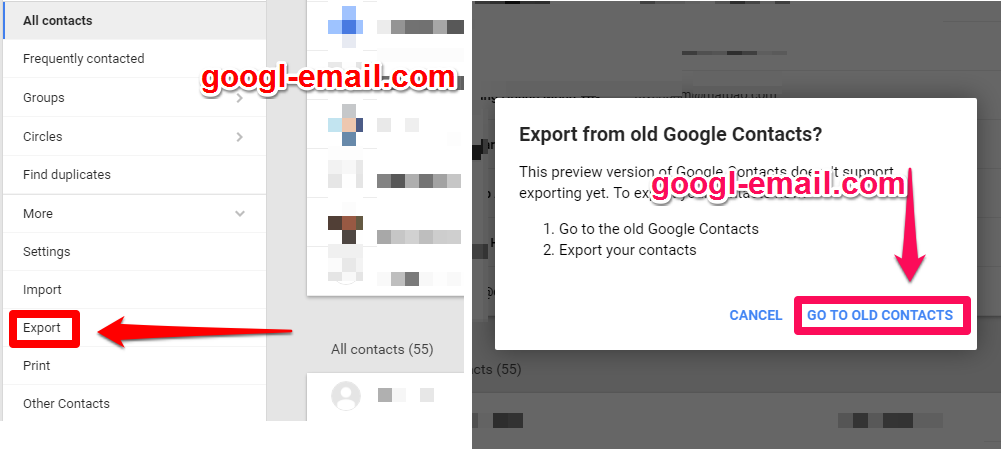
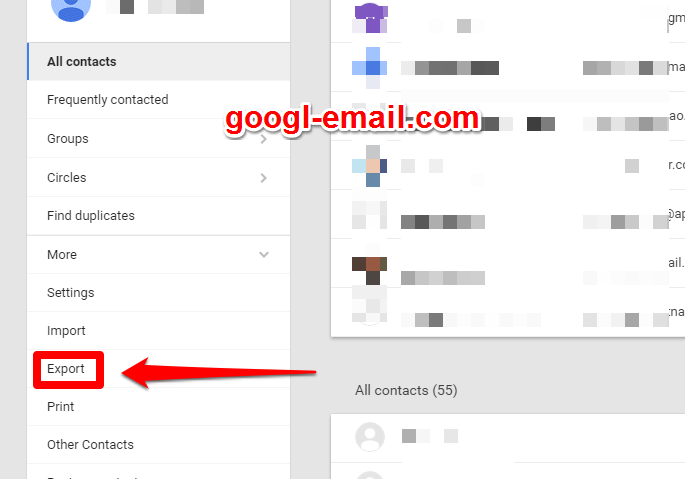
STEP 1 : Go to Google Contacts, click `More` → `Export` on the left menu, and click `Go to Old Contacts`. Or you can navigate directly to The old version of Google Contacts page.
STEP 2 : Check the contacts you want to export.
 

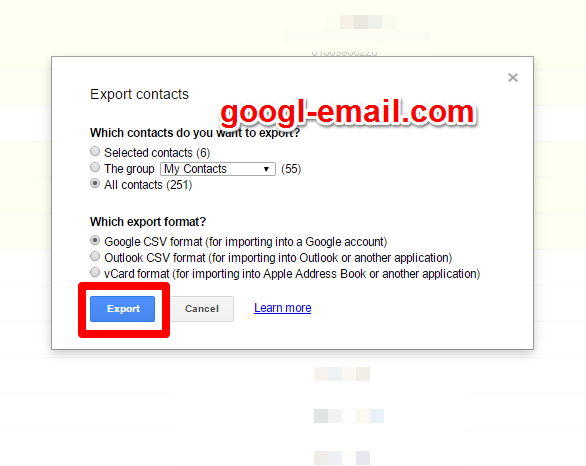
STEP 3 :

  1. Which contacts do you want to export?

    • `Selected contacts` : contacts list which you checked in previous step.
    • `The Group` : export by group
    • `All contacts` : export all contacts


  2. Which export format?

    • `Google CSV format` : use to import into a Google account
    • `Outlook CSV format` : use to import into Outlook, Outlook Express, Yahoo! Mail, Hotmail, Eudora and some other apps.
    • `vCard format` : use to import into Microsoft or Apple products frequently.


STEP 4 : Click `Export` to save your backup file.
How to Import Gmail Contacts

How to import Google Contacts 

STEP 1 :

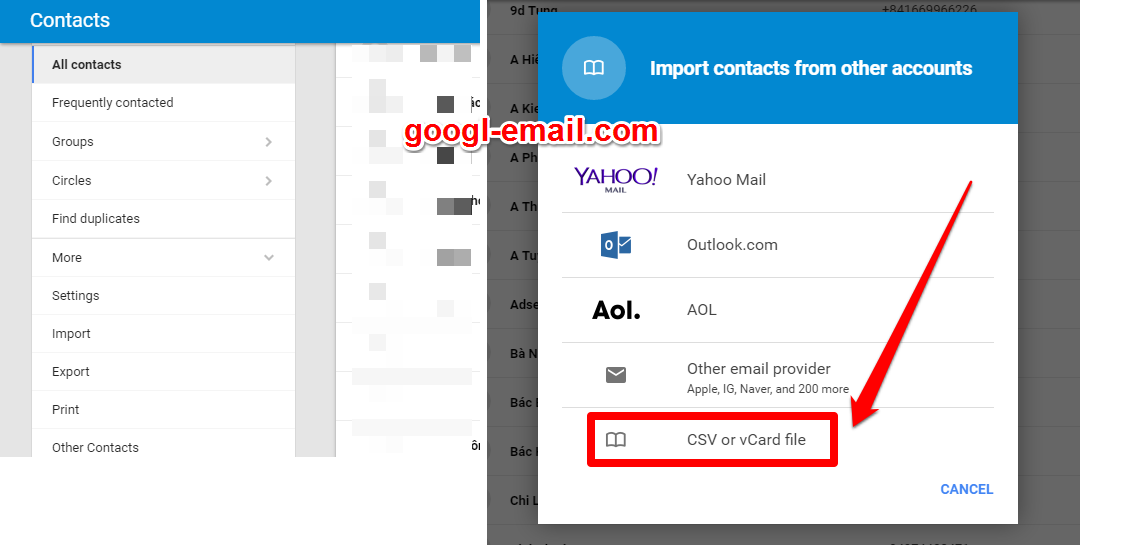
Go to Google Contacts, click `More` → `Import` on the left menu, and click `CSV or vCard file`. And then click `Go to Old Contacts`.
Or you can navigate directly to The old version of Google Contacts page.


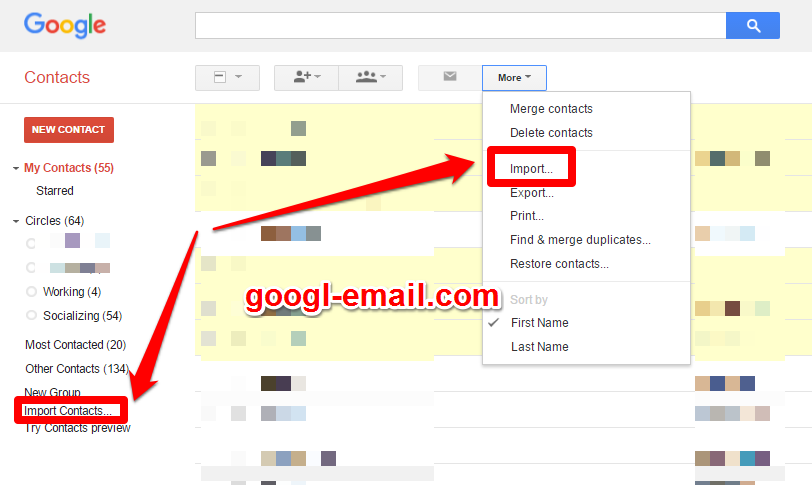
STEP 2 : Click `More` → `Import` on the top menu , or click `Import Contacts` on the left menu.


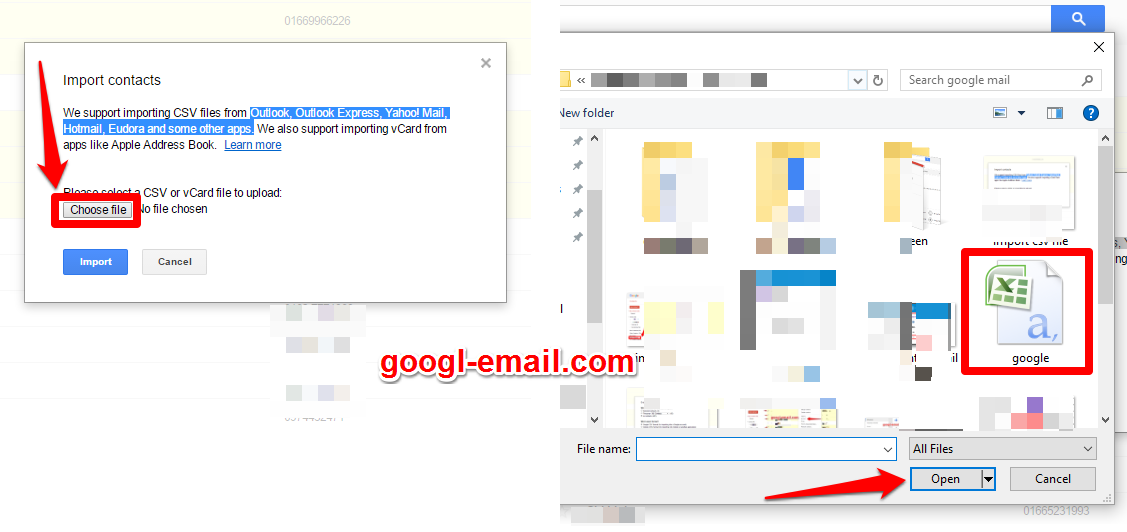
STEP 3 : Click `Choose file`. Browse for the CSV file you exported or created and click `Open`. ( Learn more : How to export gmail contacts )

STEP 4 : Click `Import` . The importing gmail process will be completed in few moments, and your contacts will appear listed on your Contacts page.

Importing google contacts problems ?

There are some reasons you may have problems when importing your contacts :

  • Importing more than 3000 contacts at once
    Resolve → Lets split CSV contacts file into multiple CSV files before importing
  • You reached the Google Contacts size limits ( Total contacts: 25,000 – Total storage limit : 20 MB – Maximum contact size: 128 KB – Maximum characters per contact field : 1024 )
    Resolve → You can Merge duplicate contacts, Stop automatically saving Other Contacts or Delete Other Contacts
  • Your importing information formatted in other email providers
  • Importing already contacts in Google Contacts
  • Your import file has non-Latin or ASCII characters.