Skip to content
googlemailguide.com
Gmail Email : Get started ! - Google Mail
Homepage / Google Mail / Sign in to Gmail - Gmail Android App

Sign in to Gmail – Gmail Android App

By adminPosted on November 5, 2026

If your Android already has Gmail app, login will be quick and easy.

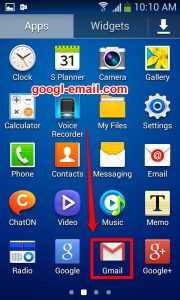
STEP 1: Tap the “Gmail” icon to launch Gmail.
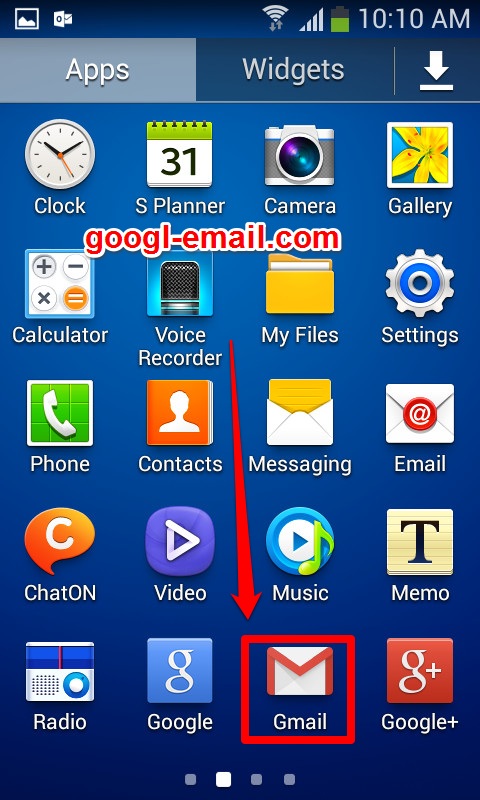
    • If the Google account associated with your Android is the one used for Gmail, you could launch the app and reach your inbox without any further actions.
    • To add a Gmail address that isn’t yet on your phone, apply the similar procedure.

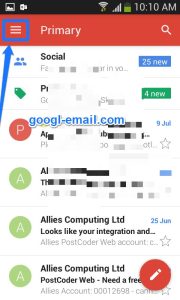
STEP 2: Open the ≡ menu, then select “Settings”.
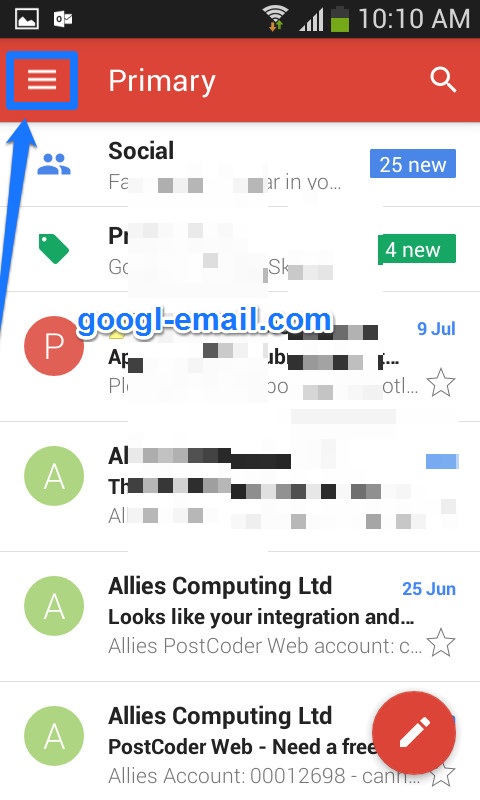
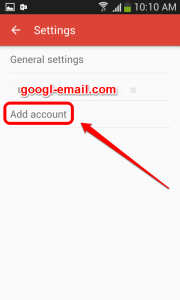
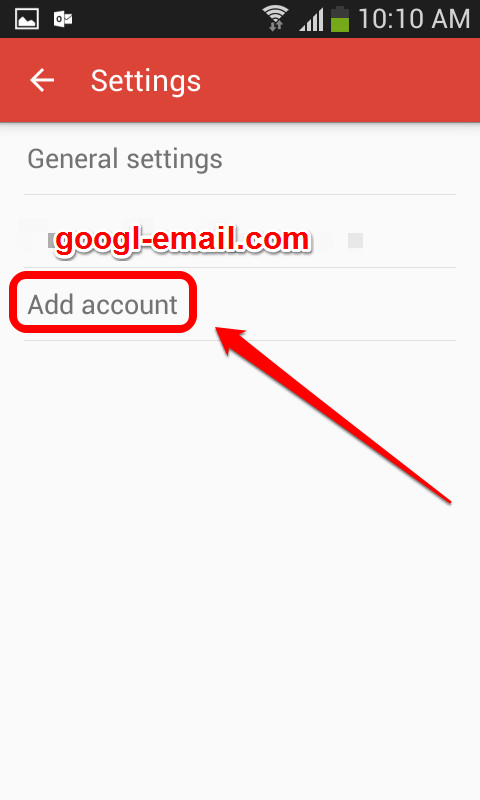
STEP 3: Tap “Add Account”. The “Set up email” screen will appear.
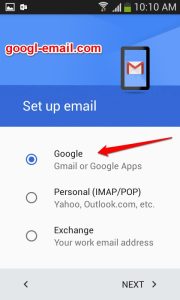
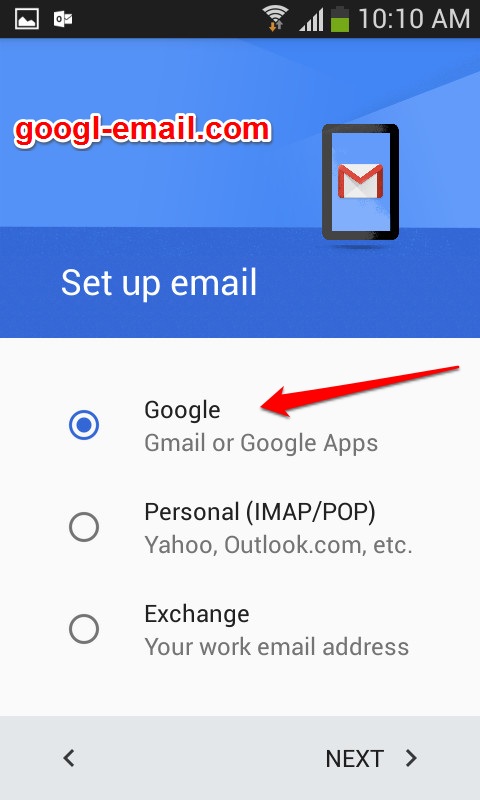
STEP 4 :  Select “Google” and then tap “Next”.
STEP 5: Enter your gmail username,password and then tap “Next”.

You’ll notice a “Forgot password” link right under the password blank. If you don’t remember your password, tap that link and follow its prompts.

 

Gallery Sign in to Gmail – Gmail Android App

    Related posts:

    • Undo Send Feature in Gmail

    • www.gmail.com – Sign in Security tips

    • Gmail Sign Up

    Posted in Google Mail, Sign in to GmailTagged Gmail app, gmail username, password, Sign in to Gmail

    Post navigation

    Previous post Gmail Sign In
    Next post Sign in to Gmail – Gmail iPhone/iPad app
    Add Comment
    Non AMP Version
    @ 2026 googlemailguide.com. This is not an official site, we are only helping with our tutorials to access mail servers. We are not affiliated with or sponsored by Google Inc.
    googlemailguide.com
    Gmail Email : Get started ! - Google Mail
    • Home
    • About
    • Contact Us
    • Privacy Policy
    • Terms
    Exit mobile version