If your Android already has Gmail app, login will be quick and easy.
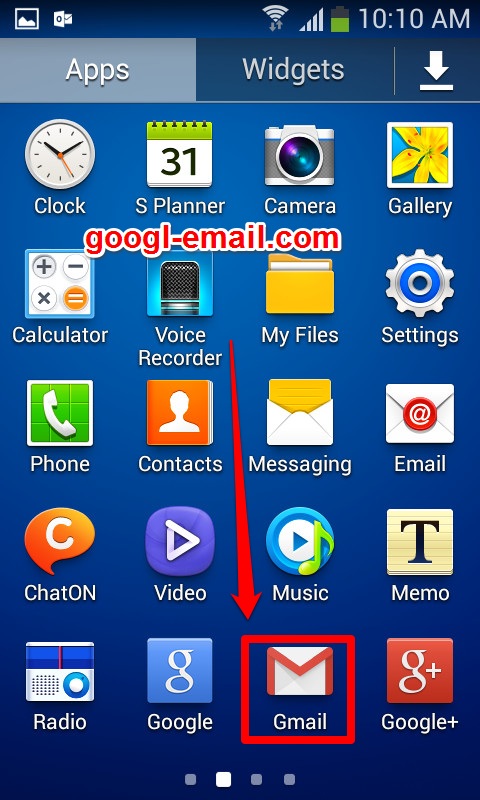
STEP 1: Tap the “Gmail” icon to launch Gmail.

-
- If the Google account associated with your Android is the one used for Gmail, you could launch the app and reach your inbox without any further actions.
- To add a Gmail address that isn’t yet on your phone, apply the similar procedure.
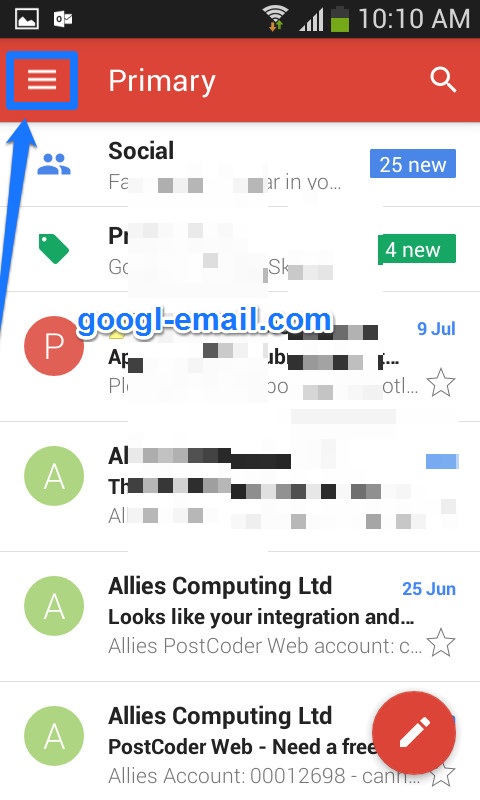
STEP 2: Open the ≡ menu, then select “Settings”.
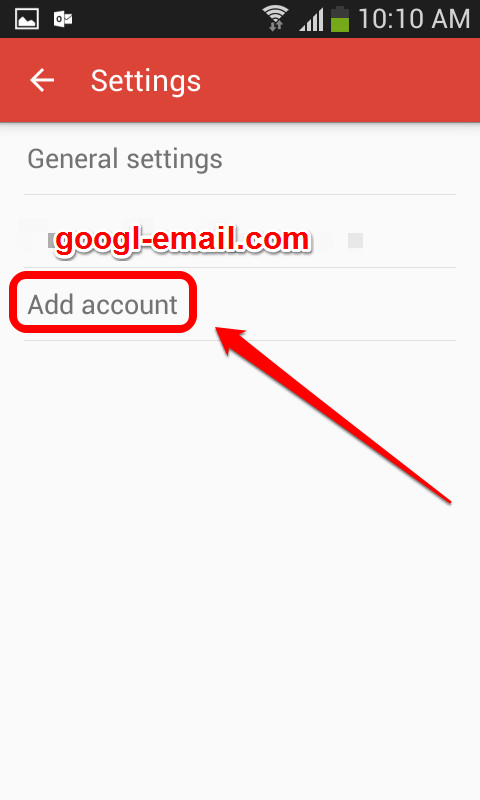
STEP 3: Tap “Add Account”. The “Set up email” screen will appear.
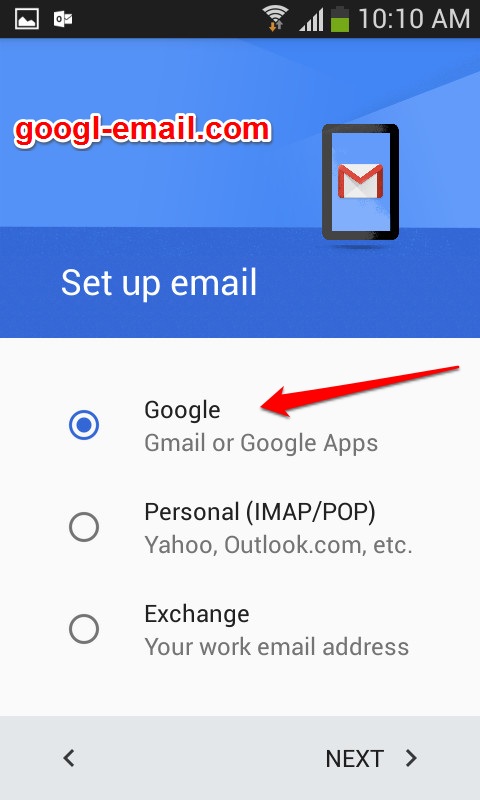
STEP 4 : Select “Google” and then tap “Next”.
STEP 5: Enter your gmail username,password and then tap “Next”.
You’ll notice a “Forgot password” link right under the password blank. If you don’t remember your password, tap that link and follow its prompts.