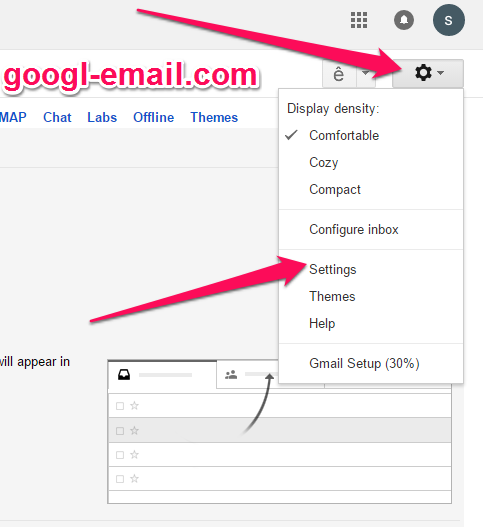
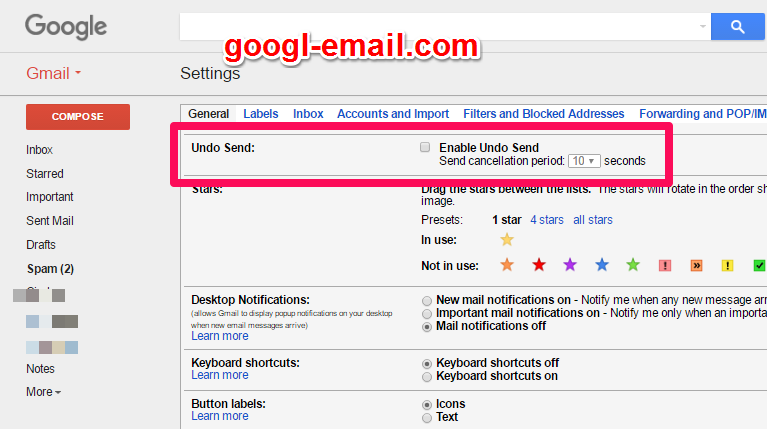
STEP 2 : In `General` tab, scroll down to `Undo Send` section.
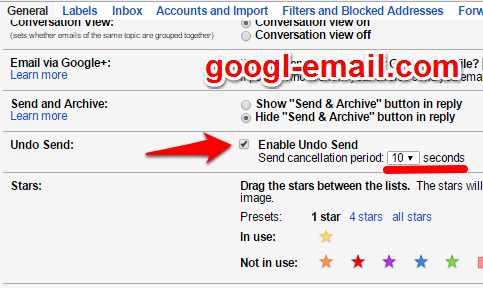
STEP 3 : Check `Enable Undo Send` box and choose Send cancellation period with 5s, 10s, 20s, or 30s. ( Example : If you choose 10s, you can undo a sent email in 10s ).
STEP 4 : Click `Save Changes`.
How to undo a sent email in Gmail
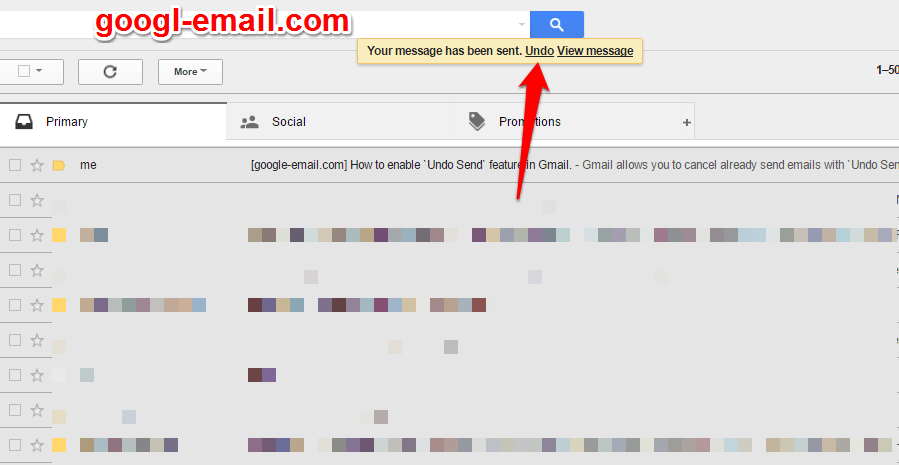
When you have composed an email, you will get a notification like image below. Click `Undo` if you want to cancel this email. ( Notifications will be displayed in period times you choose in `Undo Send` feature).
First of all, use a strong password. Do learn what is considered a strong password and how to generate strong passwords.
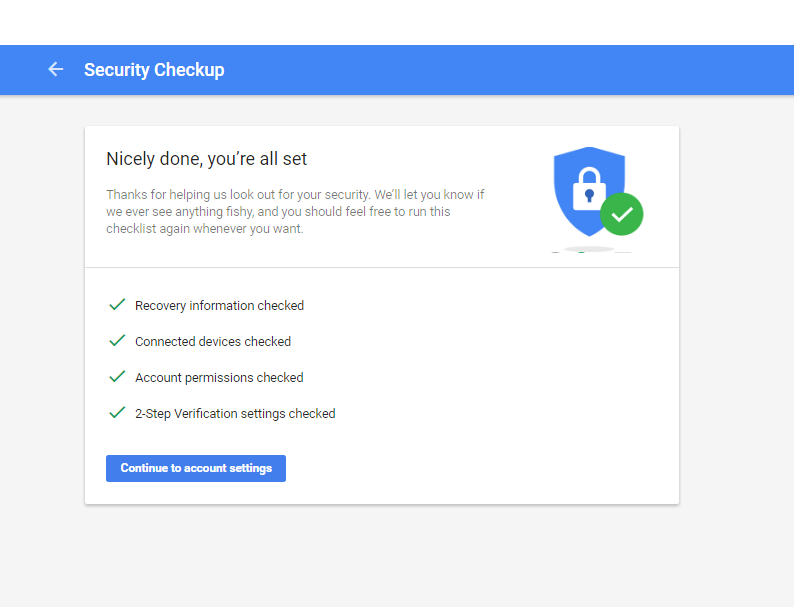
You should also check out this Gmail Security Check list. – Check your recovery information
– Check your connected devices
– Check your account permissions
– Check your 2-Step Verification settings
You can create an email signature as text ( contact information, favorite quotes , about yourself,…). The gmail signature is automatically added to the bottom of every outgoing email message.
Setup an email signature on Gmail desktop.
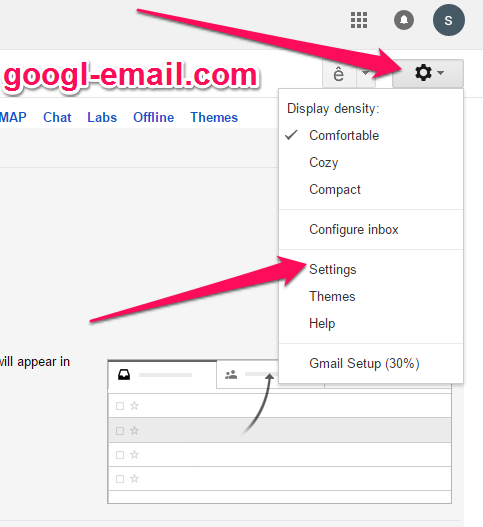
STEP 1 : Sign into gmail account and go to `Gmail Settings` ⇒ Click `Settings` in the top right , or go to gmail settings page : https://mail.google.com/mail/u/0/#settings/
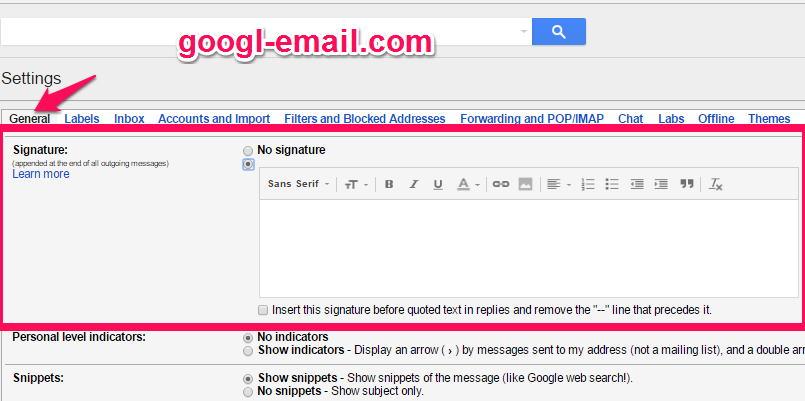
STEP 2 : In `General` tab, scroll down to look for `Signature` section.
STEP 3 : Enter your signature to the editor box. You can format text by changing style, adding image or put hyperlink in signature.
STEP 4 : Click `Save Changes`.
NOTE : If you want to remove the email signature feature, just click `No signature` and `Save settings` .
Setup an email signature on gmail app.
The signature you created in the Gmail app will be present in any messages sent from the app. We will show you how to setup an email signature on iPhone. This tutorial is working same on iPad and android devices.
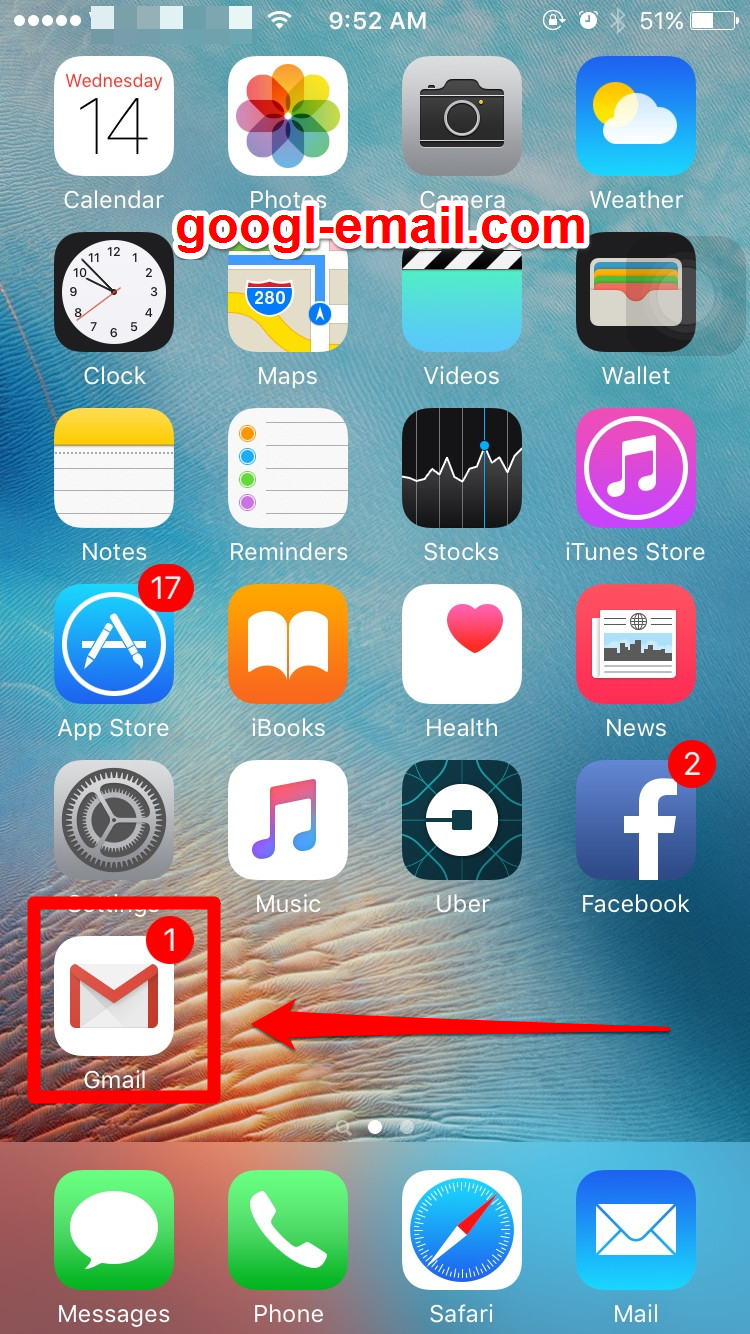
STEP 1 : Launch `Gmail` app and Login into your gmail account.
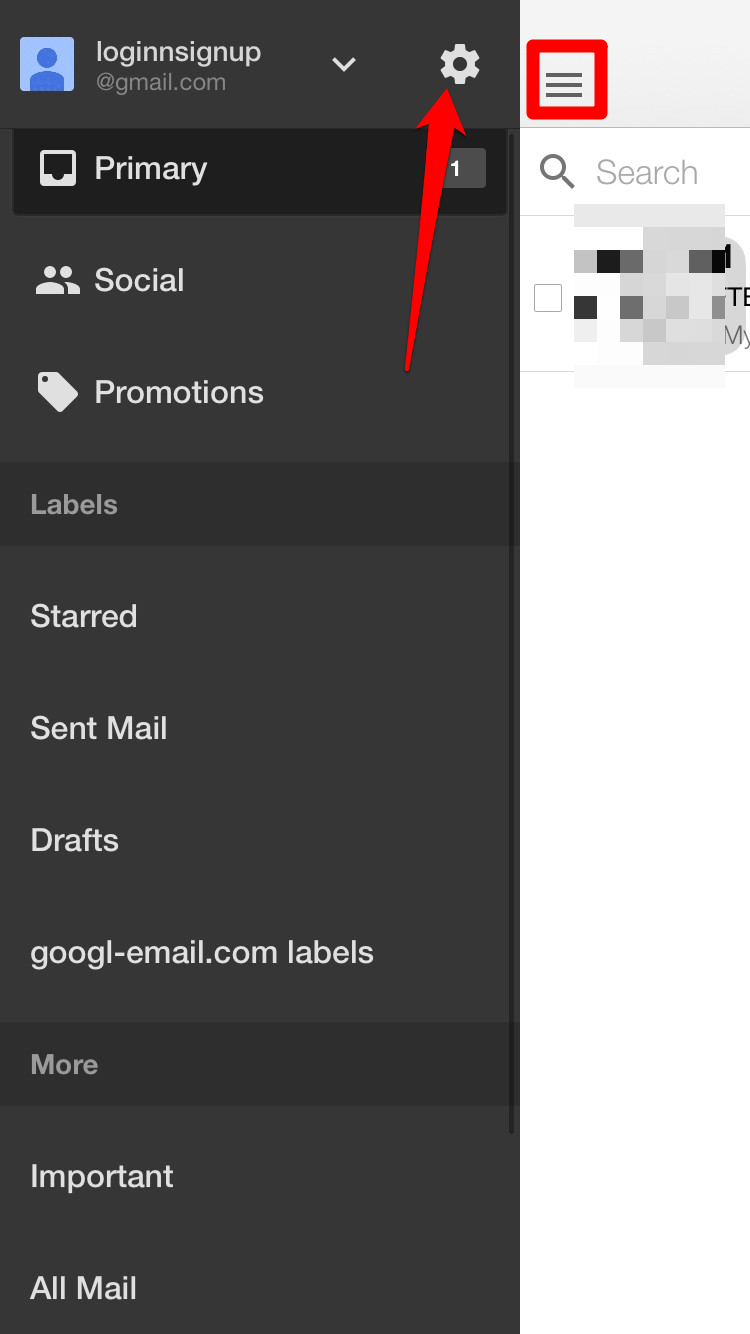
STEP 2 : Tap to `Settings` in top left menu.
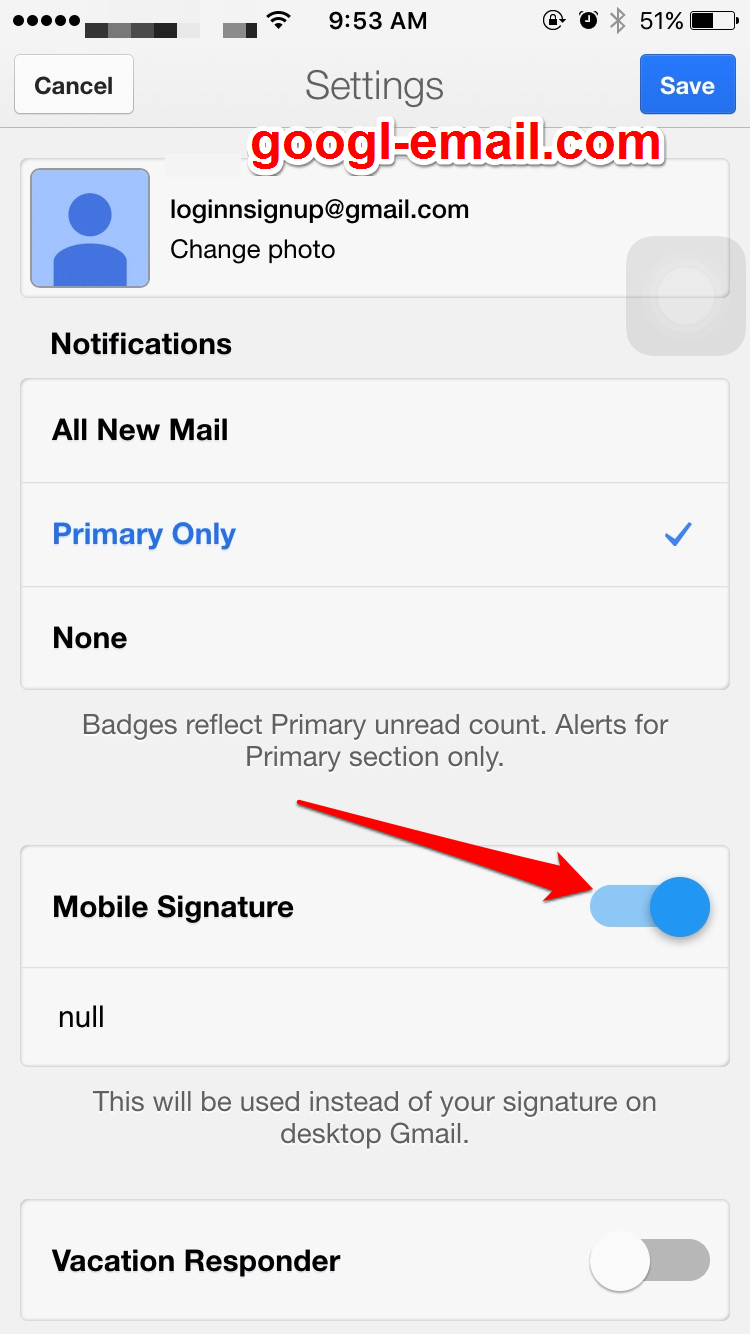
STEP 3 : Enable `Mobile Signature`
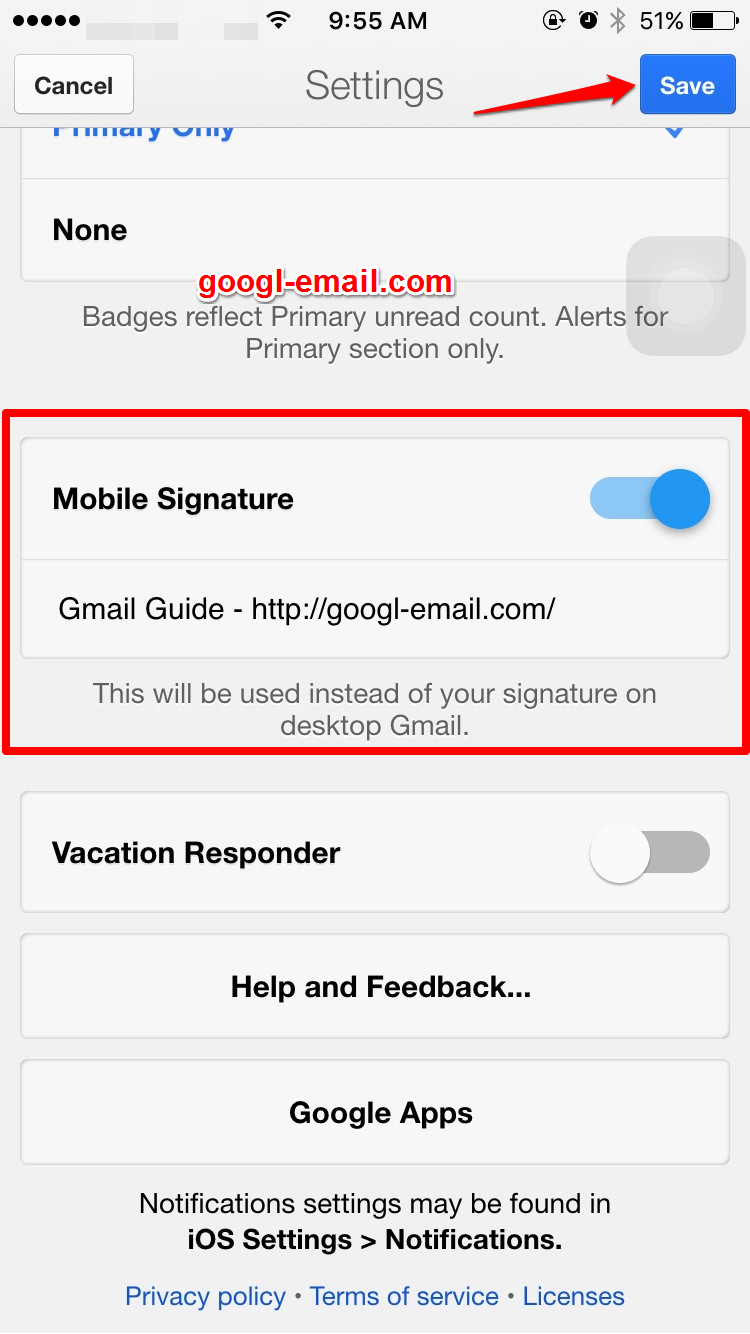
STEP 4 : Type your mobile signature (This will be used instead of your signature on desktop Gmail).
STEP 5 : Tap `Save` to complete setup gmail mobile signature.
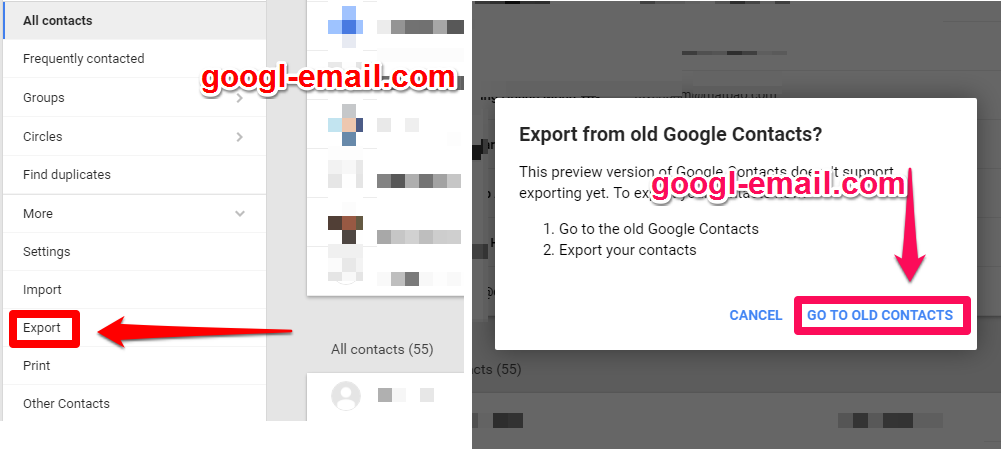
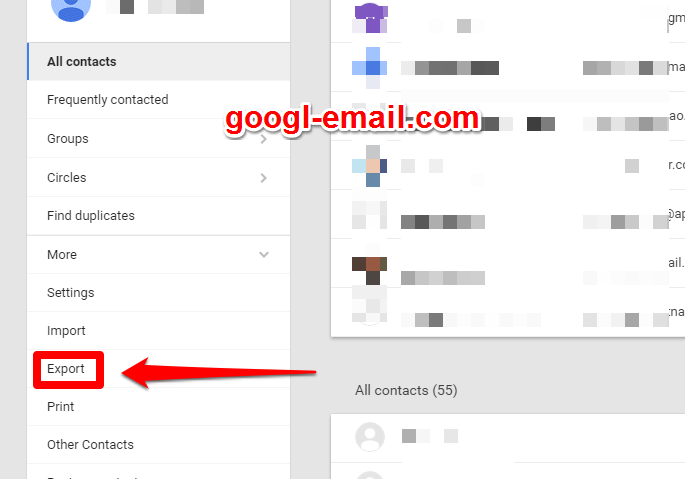
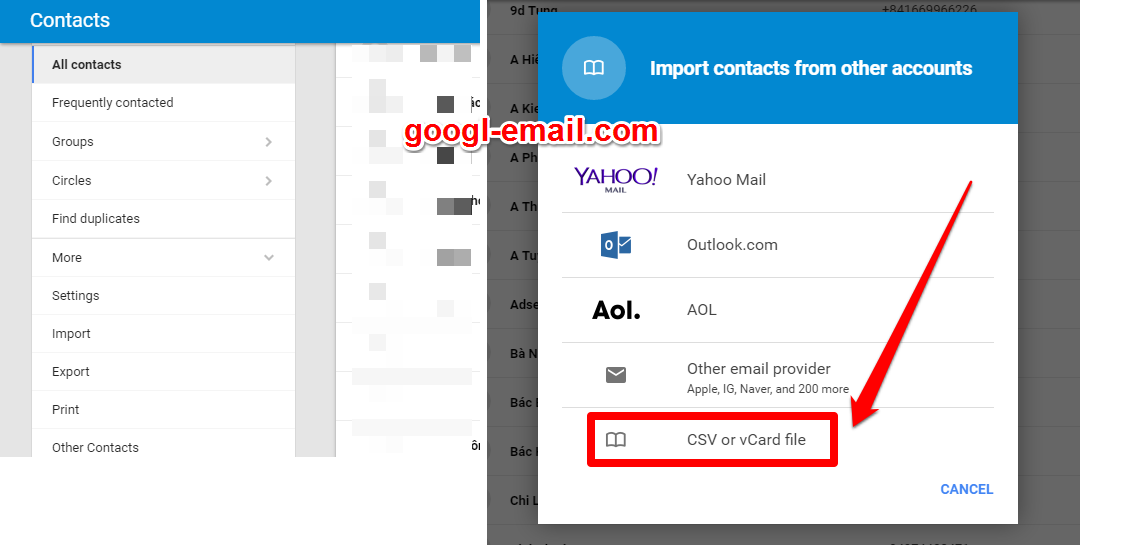
Go to Google Contacts, click `More` → `Import` on the left menu, and click `CSV or vCard file`. And then click `Go to Old Contacts`.
Or you can navigate directly to The old version of Google Contacts page.
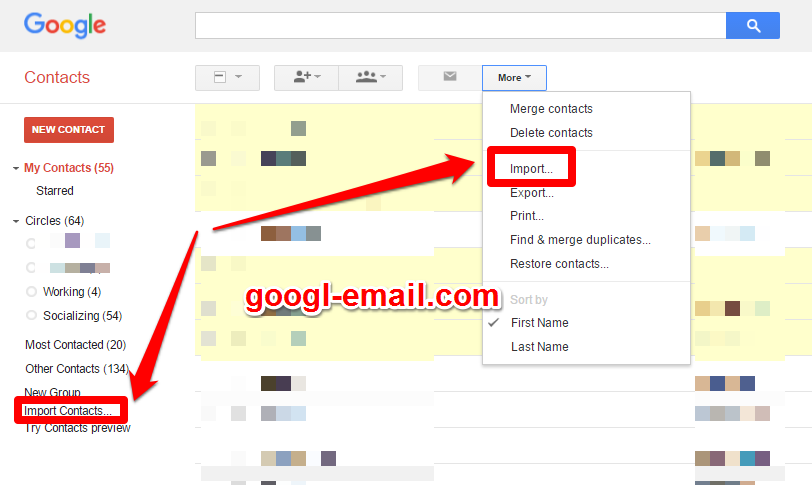
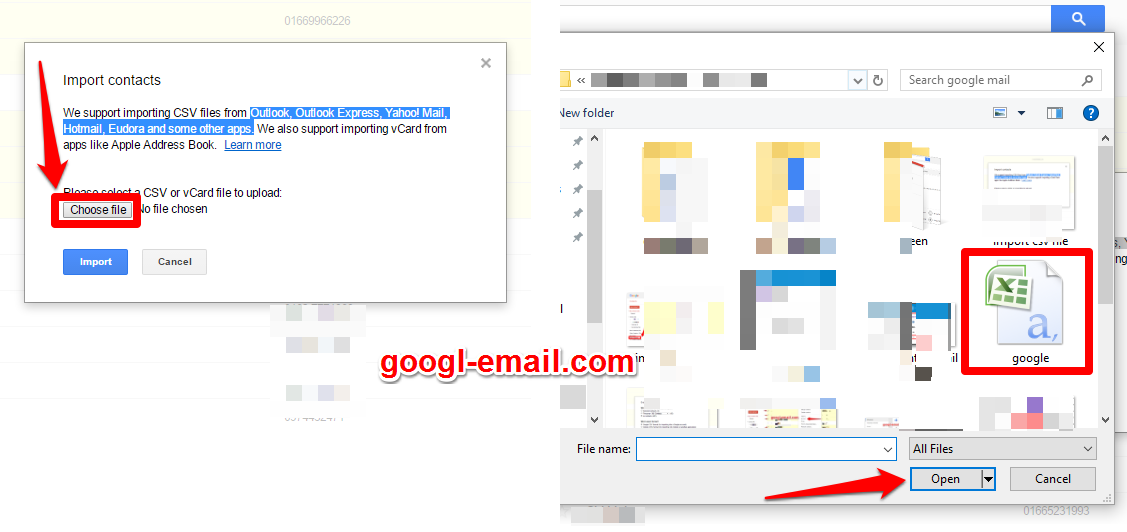
STEP 2 : Click `More` → `Import` on the top menu , or click `Import Contacts` on the left menu.
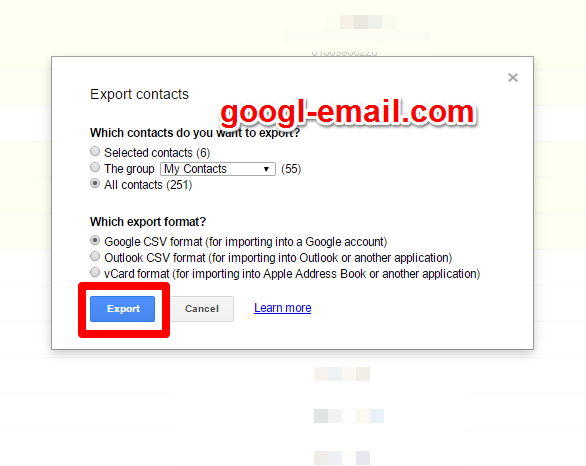
STEP 3 : Click `Choose file`. Browse for the CSV file you exported or created and click `Open`. ( Learn more : How to export gmail contacts )
STEP 4 : Click `Import` . The importing gmail process will be completed in few moments, and your contacts will appear listed on your Contacts page.
Importing google contacts problems ?
There are some reasons you may have problems when importing your contacts :
Importing more than 3000 contacts at once Resolve → Lets split CSV contacts file into multiple CSV files before importing
You reached the Google Contacts size limits ( Total contacts: 25,000 – Total storage limit : 20 MB – Maximum contact size: 128 KB – Maximum characters per contact field : 1024 ) Resolve → You can Merge duplicate contacts, Stop automatically saving Other Contacts or Delete Other Contacts
Your importing information formatted in other email providers
Importing already contacts in Google Contacts
Your import file has non-Latin or ASCII characters.
Not so long ago Gmail registration could only be done through invitations from the users who already had a verified Google web account. This rule has been changed, allowing anybody to sign up to Gmail with less restrictions.
Gmail accounts can be created through a user’s Google account if one already exists, or by completing Gmail’s simple registration process.
Create a Gmail Account
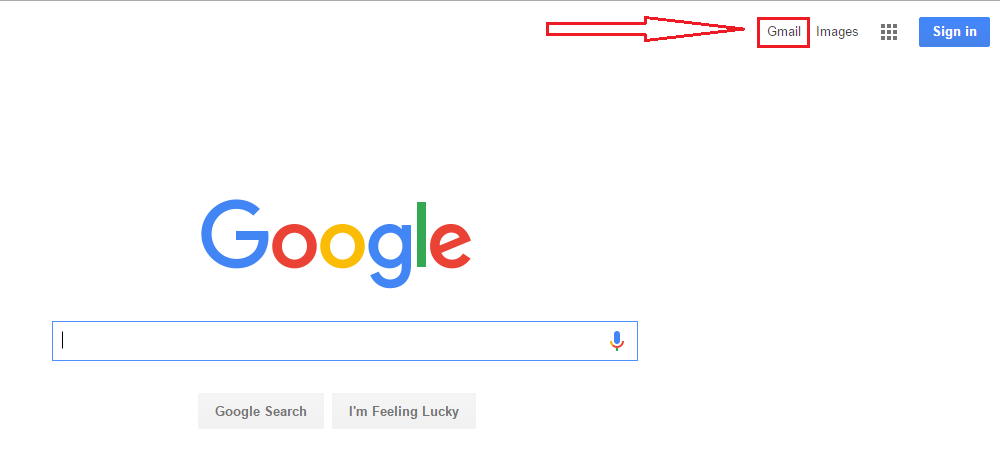
Open your web browser and go to the https://www.google.com/ homepage. Then click on the Gmail option located in the toolbar:
There are two possible scenarios, depending on your account status. If you already have a Google account, simply enter your username and password to access Gmail via your Google account. You can do this by clicking on Login.
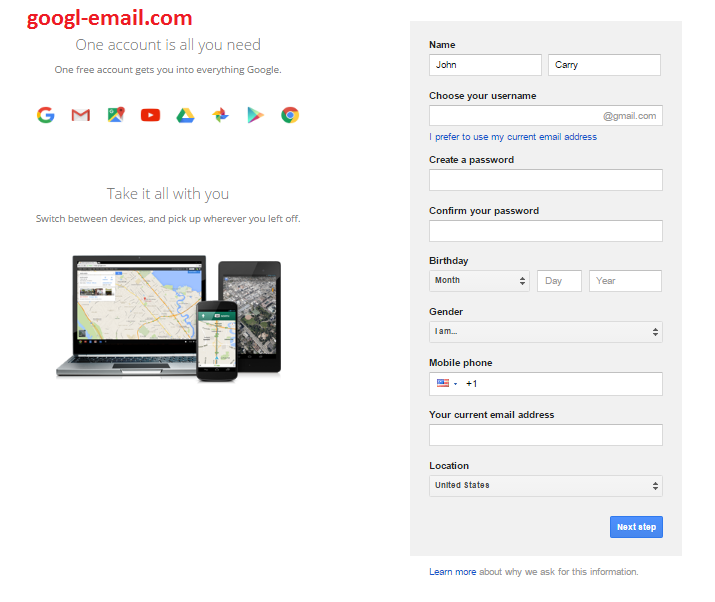
If you do not have a Google account, click on Create an account. An online form will appear asking for your basic information:
Do not hesitate and follow these steps below to create a Gmail account to safely and quickly from its official site.
After loading the page, then enters the section “Create an account “.
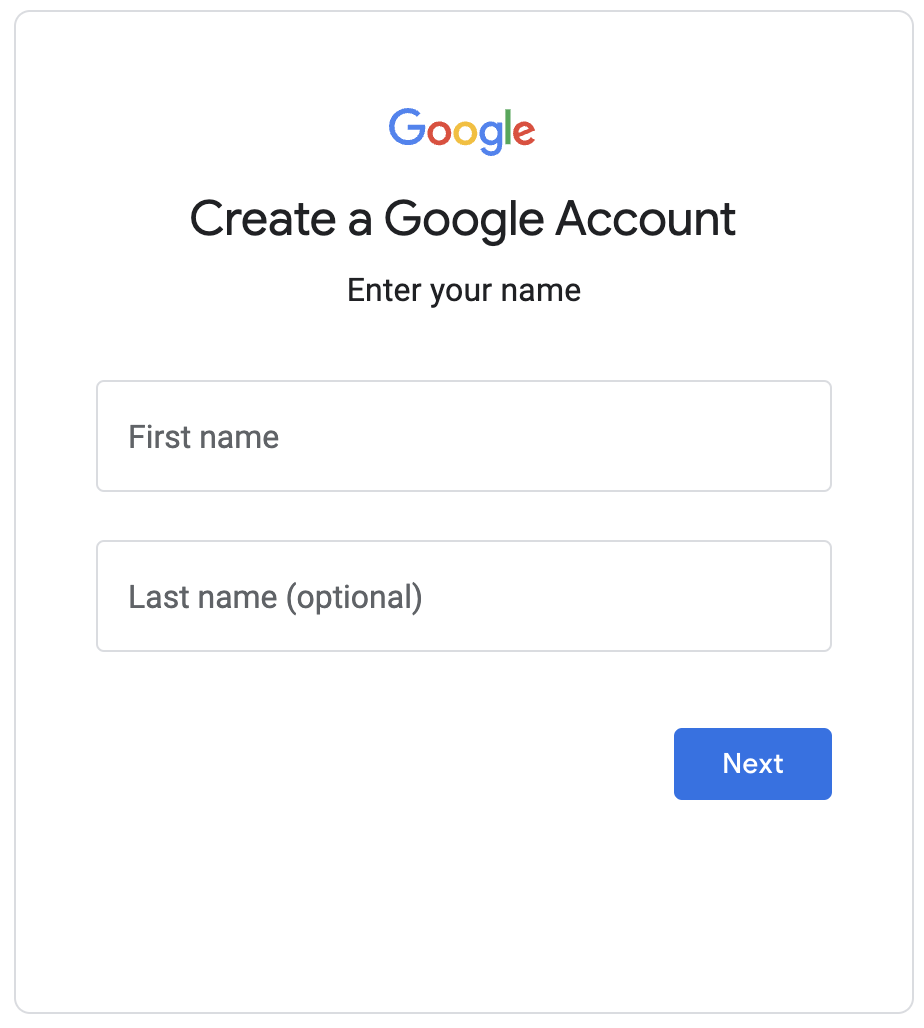
A new window will be opened, and you need to complete several required blanks, including: First name, Last name and of course the Username you want to use. Remember that the name you could choose depends on the availability on the platform of Gmail (and could be chosen by someone else in the world), so you must click on ” check availability “
You also need to create and set the password (must be at least 8 characters) for security purposes. Next, you need to select Security Question and then provide the answer. By the same item, it is recommended to establish an alternative mail to retrieve your password or email ID whenever you get troubles logging in.
Almost finished, now you need to select your country and enter your date of birth .
Gmail.com will check the captcha (to verify that we are not a robot) and continue
Let’s accept the terms and conditions set by clicking on ” Create my account “
Finally, select the Check this box to confirm that you have read and accepted all the conditions of use… and click on Next step. In the introductory page of the service, click I am ready to use my account to finalize your registration.
When creating a Gmail account, you also have a Google account, which allows you to access other personalized services such as YouTube, Android, and Google Plus, Google’s social network.
Sometimes you to remember by heart some private information such t as you email information. It is likely that at some moments you could forget to provide some key passwords or username, for example to log in.
oogle know how important for you to access to your account, it provides some guidance to help you quickly recover your data. In this case we have decided to explain the how to do if you have forgotten your username is.
– Firstly, go to the Gmail page, http://mail.google.com
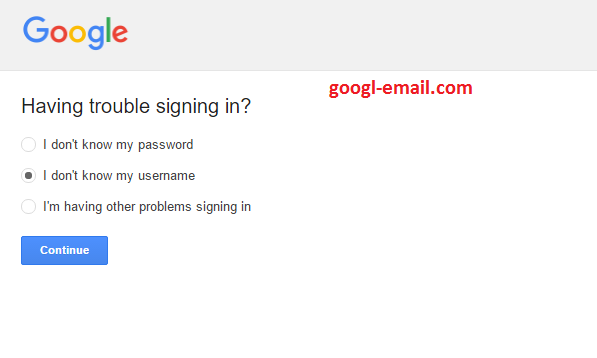
Finding the section Need help? andchoose which of the three cases is yours, you could pick “I don’t know my username “.
You could be directed to either your recovery email address (chosen when creating the account) or the your recovery phone number. Clarify which one is your case to a receive verification code either from your phone or your alternate email .
If none of these choices are suitable for you, you can select the option “I can not sign for other reasons” and so the company will help you as soon as possible their engineers will help in the request.