Sometimes you to remember by heart some private information such t as you email information. It is likely that at some moments you could forget to provide some key passwords or username, for example to log in.

oogle know how important for you to access to your account, it provides some guidance to help you quickly recover your data. In this case we have decided to explain the how to do if you have forgotten your username is.
– Firstly, go to the Gmail page, http://mail.google.com
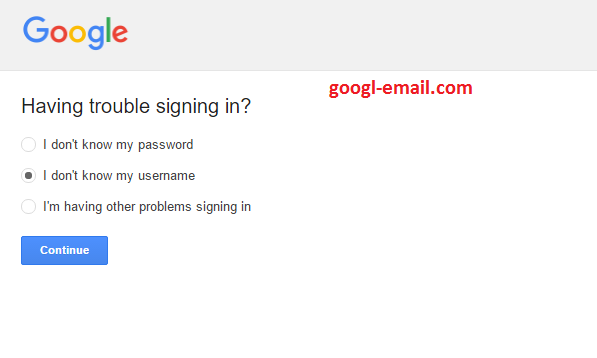
Finding the section Need help? andchoose which of the three cases is yours, you could pick “I don’t know my username “.
You could be directed to either your recovery email address (chosen when creating the account) or the your recovery phone number. Clarify which one is your case to a receive verification code either from your phone or your alternate email .
If none of these choices are suitable for you, you can select the option “I can not sign for other reasons” and so the company will help you as soon as possible their engineers will help in the request.